Showing posts with label ICS. Show all posts

1.10.2013

Boot Android from SD Card on the Samsung Wave


Users now have the option to run Android and the device’s stock OS. This functionality is now available for the Samsung Wave.
XDA Senior Member hero355 wrote a tutorial on how to get Android booting from the Bada device’s SD card.
The process is not that difficult but do require that users pay attention. There are several zips that will need to be downloaded and flashed in recovery. During the process, users are given the choice as to how much they want to use for internal storage for the Android ROM they’re flashing, so that the SD card can be properly partitioned.
Once done, users have the option of booting into Bada or Android.
There are some issues such as,

WHAT DOESN’T WORK (BUGS/TODO)

all Modem (GSM/GPRS) functionallity
GPS
Microphone
Magnetometer
Optical sensor
Power and hold key handling has to be polished
Battery Gauge (NOTE: It can destroy your battery calibration due to prolonged usage! You had been warned.)

WHAT DOES (SHOULD) WORK
Sound playback
Screen
Wifi/BT
Accelerometer
Camera
SD Card
Battery now shows 50 %
Overclock now possible to 1200 MHz Max
Available Ram 285~290 MB on NAND
Fixed Moving app to SD
Fixed installable apps problem(Previously Some apps couldn't install)

Changelog 08.01.2013 :
Now no more need Bada partition
Overclock possible to 1400 MHz
Available Ram now 286-303 MB (Seperate 2 Kernel)
Compiled on Devil Kernel
Devil Tweaks included
I can say,Real android phone i'm using
Advanced Setting of Galaxy S
mDNie works
TV OUT Works (on V2)
I/O Scheduler: SIO
Bigmem and Hugemem on Performance setting
Fixed Video problem on V1


Installing on SD Card

Bada 2.0 is required
  1. For Fresh Installation,I suggest you Reflash bada.  Attention : Backup your SD Card.

    If you previously installed this rom,Need Repartition SD,So Backup again
  2.  Download 2 packages: BOOTFILES, armlinux_boot for S8500 :
    Releases link: http://goo.im/devs/Rebellos/wave
  3. Download zImage (Kernel) from upper.
  4. Start Bada.
  5. Copy zImage to the Bada's User partition (the one about 390MB big).
  6. Flash BOOTFILES and FOTA using Multiloader.If you have been already using FOTA and BOOTFILES you don't need to reflash 
  7. Switch off your phone
  8. Go to CWM using Call End + Volume Up buttons
  9. Be patient, first bootup will keep unresponsible on Black Screen for up to 3 minutes.
  10. CWM Recovery starts, pick:
    Advanced>SD Partition>select how many space you want as internal memory>SWAP-0M
    (F.e : If you have 8GB select 4096, 4GB select 2048, 2GB select 1024 and etc..)
    Attention:After SD partitioned then go next step,No need Reboot
  11. Then follow this and connect USB to PC : Mounts and Storage>Mount USB Storage
  12. Copy your Rom to SD Card and unmount USB Storage
    • install zip from sdcard
    • choose zip from sdcard
    • "blablabla.zip"
    • Yes - install
  13. Then reboot holding the Power key
Step 6

Downloads:

Tigrouzen Rom Based on Cyanogen Mod 10.1 included Gapps : http://www.multiupload.nl/DL8EVAW1RX

Kernel V1 (08.01.2013) for Android 4.2.1 : http://www.multiupload.nl/ES8HNRY4U1
Without Camera You have 296~303 MB Ram

Kernel V2 (08.01.2013) for Android 4.2.1 :http://www.multiupload.nl/TBM2A8AWNE
Camera works,Video also work(without record) and You have 280MB Ram

Source is available on Github Repo : https://github.com/Tigrouzen & https://github.com/Rebell


Source:-XDA post 1 & post 2

4.26.2012

Flash AOSP/AOKP/CM9 ICS Roms for Galaxy Note the Easy and Safe Way

We have been using LP1 Repack as a stepping-stone between Gingerbread and custom ICS Roms so far. Now there is an easier way.

The following procedure was tested by thechintsvvizabhisahara, and   chasmodo of xda developer forum and it works. 
It was tested on Stunner and CM9, but could work for any ICS Rom that currently has "flash LP1 Repack" as one of the steps in its flashing instructions. 
 The suggested method is safe sofar as it won't brick your device. You have a safe way back to GB via nAndroid backup or PC Odin if it fails.
The only tool that you need for the following procedure to work is AbyssNote 4.2 Kernel.


Get AbyssNote 4.2 kernel HERE.


Do not use earlier AbyssNote Kernel versions for the following procedure.

So, how to do it?
When on any rooted GB Rom:


First and foremost
Double- and triple-check if you have proper GB root!

Do not put faith in the fact that your Titanium Backup or some other root app works.

Do not use various root checkers from the Market.


Do that by trying to paste a file in /system folder -that's the only way for you to really know.
If you can do the pasting, you have root. If not, this thread is not for you.

Some users have managed to achieve soft-bricks while still on GB. They tried to flash AbyssNote kernel and got stuck. Do not let that happen to you.


After that:
1. download AbyssNote 4.2 kernel and place it on your internal/external SD Card

Also download the ICS Rom you want to install and put it on your SD card.
2. reboot to CWMR (press and hold volume up + home + power button) and do a backup of your current system
3. after your backup is done, stay in Recovery
4. go to install a zip from SD card --> select AbyssNote 4.2 zip and flash it
5. go back to CWMR's root menu --> advanced --> reboot recovery
6. you'll find yourself in AbyssNote's Touch Recovery (select options by tapping them, not by using the volume rocker and home button) 
7. factory reset --> wipe cache --> wipe dalvik
9. flash the ICS Rom of your choice
10. reboot and let the Rom settle for a couple of minutes


Now comes the important part...check if you have root.
Start any Explorer with root permissions (Root Explorer, Es Explorer, X Explorer etc.).

Copy any file (a picture, txt file, MP3, whatever).
Navigate to /system folder
Change the /system folder's permissions to R/W.
Paste the file you have copied into /system.
If the pasting goes through OK, you're fully rooted.
Delete the file you've just pasted and set /system as R/O again


And that's it. Enjoy your rooted ICS Rom.
What to do if this procedure doesn't work, i.e. you don't get full ICS root
As we all know, our Notes are quirky devices. What works for most doesn't necessarily have to
work for your phone. So, if you fail to get full root:

Option 1. You will still have 90% functional ICS on your Note. Your phone will do all the usual stuff
normally. You'll probably even be able to use root apps, like Titanium. However, bear in mind that
you are stuck in the Rom you have just flashed - there is no going anywhere because your CWMR
doesn't have proper root privileges to flash things - DO NOT USE CWMR.
What you won't be able to do on your Note is
- apply themes and mods (because that involves flashing stuff through CWMR with no proper root)
- change DPI settings on your Note (you won't be able to switch to tablet mode, for instance)
Everything else should work properly. If you can live with that for a couple of weeks until the 
official ICS arrives, then fine. Relax and enjoy your Rom.

Option 2. If you can't stand the thought that you don't have full root permissions then
- you can try to reboot to CWMR, flash AbyssNote 4.2 again, and try to run a GB restore. 
This doesn't have high chances of success, but all is not lost even if it fails. Then
- you can use PC Odin to flash pre-rooted KJ1 stock Rom as explained by Dr. Ketan.
Originally Posted by dr.ketan  View Post
When No Any other method works to Root your device, use this[/B]
---------------------------------------------------------------------------------------------------------------
Note that, this will downgrade your ROM to KJ1, after that you can update it.

Download: https://rapidshare.com/files/3690281..._FACTORYFS.zip
(special thanx to schiwa for providing premium a/c to host file)

Code:
Mirror for Above file  (in case above link not works then only)
Download this three files

http://www.mediafire.com/?7vf637co8frdqqg
http://www.mediafire.com/?kkvdsf5vh8zipzi
http://www.mediafire.com/?l6qqicvibzhxt18

- Tool to join them, run the following file and locate the .001 file.
http://www.mediafire.com/?btrusgmd1v2d72q

- Make sure your SGN is NOT connected to your computer
- Reboot your SGN into "download mode" (Vol Down + Home + Power)
- Start ODIN
- Click the PDA button, and select the "SGN_XX_OXA_KJ1_FACTORYFS.tar" file
- Connect the SGN to your computer
- Make sure "repartition" is NOT checked
- Click the START button
- Wait for the phone to reboot TWICE
- Done.
Now that you have a rooted GB stock Rom, Install Mobile Odin Pro n update your device to any new Rom with Mobile Odin
After that you can flash whatever you like from its CWMR or use Mobile Odin to upgrade.

4.05.2012

Installation Guide of Android 4.0.4 (ICS) for Nokia N9. Alpha release #2 "Sleepless Nights"


Alpha Release #2 "Sleepless Nights"

Working:
- based on Android Open-Source Project (AOSP) v 4.0.4_r1.1 (IMM76D)
- multiple languages supported
- dualboot kernel (without reflashing), ability to choose OS after power on.
- N950 supported (see http://forum.nitdroid.com/index.php?topic=134.0)
- 3D drivers, OpenGL
- hwrotation (portrait mode only, accelerometer HAL doesn't work)
- touchscreen (multitouch)
- hw buttons (volume, power)
- ECI accessory (headset buttons)
- USB networking
- lcd off in sleep mode, electron beam effect (demo: http://www.youtube.com/watch?v=kFMTofYt_2g)
- alarm driver, RTC
- mounting MyDocs as "SDCard" [realized; NOT FIXED, but HACK EXISTS]
- basic video decoding (sw) and playback, youtube (choppy)
- wifi (only basic functionality: able to connect to AP. signal strength indication (RSSI) is broken. no tethering).
- basic CellMo functionality: network registration, USSD, SMS, data (GPRS/EDGE/3G), signaling. Actually, ofono/ofono-ril stack is used: all things that it able to do on the n900.
- bluetooth (scanning, can pair devices. I didn't test deeper).
- charging (note: without any notification in UI)
- sensors: accelerometer
- audio: playback (audio routing to: loudspeaker, headset or earpiece)
- lights HAL (lcd brightness)
- root access (via adb shell; su/Superuser.apk)

a lot of minor and major bugfixes since alpha_1.


Disclaimer
The same as: http://wiki.cyanogenmod.com/wiki/CyanogenMod_Wiki:General_disclaimer

Installation -- How to Install :

1. Install dual-boot kernel as described here: http://forum.nitdroid.com/index.php?topic=90.0

2. Install sillyboot v2. Details: http://forum.nitdroid.com/index.php?topic=127.0

3. Are you ready for NIT?
  • Download tarball from here: http://downloads.nitdroid.com/e-yes/n9/nitdroid_n9_ics_alpha2.tar.bz2                                      check its integrity, md5 sum for this archive is a1f1a4dfb93e3e6b03280ec0a50c7bad                     Mirrors: http://depositfiles.com/files/8nxo4oj8o
  • Copy the archive to your Nokia N9.
  • Execute "as root" commands:                                                                                                                      Code: [Select]mkdir/home/nitdroidtar xjvf /path_to_archive/nitdroid_n9_ics_alpha2.tar.bz2 -C /home/nitdroid/


4. Reboot, push "Volume Up" button when message "Press VolUp to boot alternative OS" appear . Wait a little, pray a little...

   Enjoy!

5. Usefull stuff:
   get adb from Android SDK (http://developer.android.com/sdk/index.html)

   Commands that would make your life easier:
   adb connect 192.168.2.15:5039 -- connect to your device. USB/ADB is broken, but ADB    works well over USB networking.
   adb logcat -- for reading "main" log
   adb logcat -b radio -- for reading "radio" log
   adb shell -- to enter to shell
   adb pull/push -- allow get/put file from/to the device
   adb shell rr -- "restart radio" -- restarts ofono and RIL
   adb shell bb -- show battery/charging status

6. Hot fixes:
http://forum.nitdroid.com/index.php?topic=183.msg1213#msg1213
http://forum.nitdroid.com/index.php?topic=184.0

Demo video


THANKS.
   Thanks to people contributed to the NITDroid project, especially BDogg64, DJ_Steve, Jay-C, Crevetor. Thanks to sniper_swe, he involved me to N9 story:)
   Thanks to "Nokia guys", Carsten Munk, Jukka Eklund, ofono team. Thanks to people involved in openmode stuff.

3.28.2012

How to root Samsung Galaxy S2 Skyrocket ICS Leaked firmware

       
      ICS update was available only to international Galaxcy SII users only. But now ICS frimware has leaked for the Galaxy S2 Skyrocket I727. The leak is named as IML74K. 


Downloads


Steps

  • Steps for rooting Galaxy S2 is same for all firmwares. So you can follow the steps we explained in our previous posts. For your ease i am  giving here 2 links to older posts
  • Link1 or Link 2
Thanks to

  • www.xda-developers.com


3.13.2012

PhoenixLauncher Gives Gingerbread Users a Taste of ICS


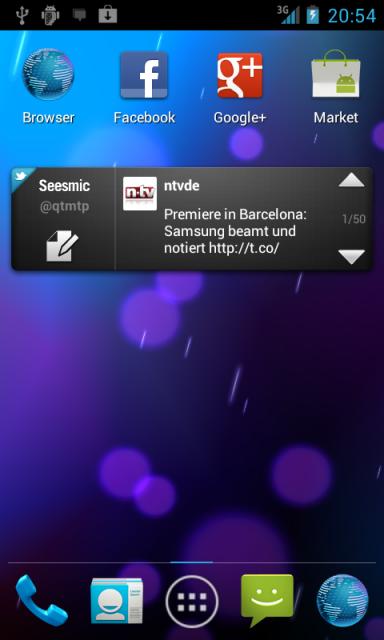
Many are on the wait to get the Android ICS update loaded on their devices. Now XDA Recognized Developer andy572 has other plans, though, to help users get a taste of ICS in the form a launcher called PhoenixLauncher. This gives users on Gingerbread a chance to taste the ICS goodness without waiting for OEMs to release it. The launcher is for root users only, which is kind of unique as most aren’t. The reason behind it, according to the developer:
Otherwise you cant use widgets shown in the Application drawer. Its required because of a general
permission in the Android operating system, this can never be fixed by me!
The launcher comes in both free and paid versions. In the free version, you’re limited to 3 home screens and the dock bar of ICS along with some other fun features. It’s a little stripped down, but it definitely gives users the feel of ICS without actually having it. The installation method is also a little complicated, and requires users to put the .Apk in the in /system/app before using, otherwise it will cause problems.
For anyone who wants to try it out, you can find all the details, the installation method and screen shots in the original thread. Don’t forget to make a backup, just in case.

Related Posts Plugin for WordPress, Blogger...