Showing posts with label Symbian Applications. Show all posts

9.26.2011

Mobile Documents - Cloud Boosted Push Mail & Mobile Document Sharing

Mobile Documents is a handy application for Symbian and Android devices. It brings you a better experience with your mail than any other application and with attachment handling as well.

 Features

The mail attraction of the application  is that it is with unique Attachment Viewing and Handling capabilities.
Send, view, read and receive heavy attachments instantly (for example PDF, PPT, DOC and images), without a download.

The application also features with facility to schedule the check for new mails. This check takes only around 10 Kb and you can shedule it for any time interval ranging from some minutes to several hours.

Another attraction of this application is that we can add many email accounts to the application that can work simultaneously. The application checks all mail accounts for new mails and alerts you if the search results positive.

Download

For Symbian Devices : http://store.ovi.com/content/39140

For Android Devices : https://market.android.com/details?id=com.visiarc.mobiledocuments.clients.android


Screen Shots


9.25.2011

Zip Application for Symbian - Handy Zip

Handy Zip is an excellent tool you can create, open and decompress ZIP files directly on your S60v5 mobiles. This enables you to access downloaded files that are compressed using 'Zip'. Since most downloads from sharing sites are in 'Zip' format, 'Handy Zip' will prove an essential tool for your Symbian device.

Click Here to Download


DocX Reader for Symbian

DocX Reader is the ultimate Microsoft Word viewer for feature phones and java phones! DocX Reader works on almost every mobile phone that supports java Features: Reads both Microsoft Word 2007 and Word 2010 files Reads documents page-by-page Zoom-in and zoom-out Low memory usage.

             DocX reader is designed for S60v5 devices but still it works on all phones. It is easy to use and does not hang your phone.


Download


9.23.2011

UC Browser

The fastest and most full-featured mobile browser. UC inside, world in hand!

UC Browser, widely known as "UCWEB", is a mobile browser featured with its fast connection, leading compression, powerful download management and stable functions.


Since 2004, UC Mobile have made the cloud computing structure into mobile browser, which leaded the whole world.

It now provides two different browsing mode(Data Saving and Full Function) for users to enjoy browsing according to different data plans. The Data Saving mode will make you save up to 85% traffic while browsing, the Full Function will provide you the best browsing experinece. It also provides comfortable features for your browsing, such as the featured site navigation easy preference, pre-load, night mode...

facebook Twitter, Google, Yahoo!, and all your favorite sites will load very fast at the same time within UC Browser. This new version also comes with "My Shortcuts" function which can make you saving your most visited sites just on your home screen.

UC Browser combined web browsing, web searching, web navigating, downloading and other features. UC Mobie have focused on mobile browser field, and got a fulfilled technique accumulation. UC Browser has better url inputing, page rendering, uploading and downloading, data compressing and more assistant feature than any other competitors. In About.com's 2011 reader s choice election, UC Browser has got most votes than Opera Mini, Firefox mobile, Dolphin Browser and Bolt. Try it and let it be your daily choice!

Now, UC Browser 7.8 is released, with more and greater functions. 200 million users are creating 70 billion page views per month, which de facto push us to the leader in mobile browsers
 
Download


Nokia Symbian S60v5

Download Link : http://wap.uc.cn/m11777/p?from=www-slb-dir-unp

Samsung Galaxy S II
Download link : http://wap.uc.cn/m22793/p?from=www-slb-dir-unp

Other Mobiles
Download Link : http://www.ucweb.com/English/UCbrowser/product_choose_browser.html


Features

Compression Technology
Advanced compression technology can reduce data costs by up to 85%, making mobile surfing cheaper.

Stable Network
Unique Free-link technology makes wireless network much more stable.

Powerful Search
Embedded various popular search engines to meet your searching needs.

Multi-tabs
Allowing you switch between pages easily and giving you better browsing experience.

Site Navigation
Hundreds of categorized popular web sites are showed in the navigation bar, all you need to do is just ONE click!

Download Manager
Super download manager supports resuming downloads and multithreaded downloads.

Optimization
To provide the best browsing experience for you, we optimized the browser on different platforms.

Pre-load
Pre-load technology makes further improvement on your browsing speed, no more waiting.

Privacy
Manage you account making login easily and support cookies.

Bookmark and History
Instant access to your favorite web sites with bookmarks or browsing history.

URL auto-completion
Effortlessly enter addresses thanks to our sophisticated URLauto-completion, entering only a few letters then select your address.

View mode
Zoom Mode and Adaptive Mode are provided to meet your preferences, more viewing choices for web sites.
Save and Share
Support to save web pages and images and share them by Bluetooth or SMS.

File Manager
You can open, delete and share your files by Bluetooth in UC Browser.

Night Mode
Unique Night Surfing Mode protects your eyes in the dark.

9.22.2011

How to port Symbian QT apps to Windows Phone 7


Microsoft and Nokia worked together to provide a package that will guide Nokia Symbian Developers to learn Windows Phone development.
The package includes:
  • The “Windows Phone Guide for Symbian Qt Application Developers” white paper, about 100 pages organized in 8 chapters
  • The addition of Symbian Qt to the Windows Phone API mapping tool
  • The “Nokia Windows Phone Training” roadshow, a series of developer events starting today in Paris
For more information on this package see JC Cimetiere’s post on the Windows Phone Developer Blog.
Great work guys! Now there’s not only such packages for iOS and Android but also for Symbian Qt! Now the only platform I can think off that has no such thing is the Blackberry OS, will we be seeing one for that later…who knows…

9.21.2011

Nokia Reader

Looking for a simple and easy to use RSS reader to manage news feeds on your Symbian^3 or S60 5th Edition device? Reader pushes your favorite news feeds to your homescreen allowing you to quickly catch up on current events.
This useful application is easy to setup: Just select your favorite feeds from a pre-populated list of the major news sources or add a new feed by typing the website address and Reader will search for the RSS feed.
And thanks to push notifications, battery consumption is modest and content is always fresh.


Main Features:

  • Uses push notifications
  • Content directory
  • Homescreen widget
  • Supports Nokia Account


    Download  


    For Symbian^3  (Nokia c6-01,Nokia N8,Nokia E7 )

                  Click Here


    For S60v5  (Nokia 5228,Nokia 5230,Nokia 5235 Comes With Music Edition,Nokia 5250,Nokia 5530 XpressMusic,Nokia X6,Nokia X6-00)

                   Click Here


    For S60v5  (Nokia C6-00,Nokia N97,Nokia N97 mini)

                  Click Here


    For S60v5 (Nokia 5800 XpressMusic )

                   Click Here 


    Screen Shots


    Installation instructions


    1. Installation instructions for all following devices:

    Nokia 5228,
    Nokia 5230,
    Nokia 5235 Comes With Music Edition,
    Nokia 5250,
    Nokia 5530 XpressMusic,
    Nokia X6,
    Nokia X6-00

    Installation instructions

    Nokia Reader installation requires a network connection. Installation uses Symbian Smart Installer, which will download and installed required components if needed. For S60 5th Edition devices the download size can be up to 8 megabytes. In this case we recommend you to use a WLAN Internet connection.

    2. Installation instructions for all following devices:

    Nokia C6-00,
    Nokia N97,
    Nokia N97 mini

    Installation instructions

    Nokia Reader installation requires a network connection. Installation uses Symbian Smart Installer, which will download and installed required components if needed. For S60 5th Edition devices the download size can be up to 8 megabytes. In this case we recommend you to use a WLAN Internet connection.

    3. Installation instructions for all following devices:

    Nokia C6-01,
    Nokia C7-00,
    Nokia E7-00,
    Nokia N8,
    Nokia N8-00

    Nokia Reader 1.0.1 for Symbian^3


    Update 16-Jun-2011: Nokia Reader installer now supports Symbian Smart Installer.

    Smart Installer will upgrade your Ovi Notifications Support Package currently to version 1.1.11120. This fixes some incompability issues with Qt 4.7.3

    Installation notes

    Installation instructions
    Make sure you have a working data connection during the installation process. Installation uses Symbian Smart Installer, which will download and install required components if needed. The download size can be up to 3 megabytes.
    Install Reader 1.0.1 beta

    4. Installation instructions for Nokia 5800 XpressMusic
    Installation instructions

    Note! Minimum required Nokia 5800 XpressMusic firmware version for Reader 1.0beta is 40.0.005. Please update your device if you're running an older version.

    Installation notes

    Nokia Reader installation requires a network connection. Installation uses Symbian Smart Installer, which will download and installed required components if needed. For Nokia 5800 XpressMusic the download size can be up to 8 megabytes. In this case we recommend you to use a WLAN Internet connection.

    Smart Movie Symbian

    SmartMovie is a popular tool to help you convert and play movie files on your mobile phone.

    Many mobile devices are now capable of playing movie files but due to format and storage restrictions, video clips need to be converted before they're transferred to your chosen device. This is where SmartMovie comes in.


    SmartMovie includes all the tools you might need to have that music video, film or home-movie playing on your handheld device in a couple of minutes. Videos might well need to be re-formatted and/or cropped, as well as having their quality and display size reduced to save on space. SmartMovie can perform all of these tasks with ease, and without too much trouble on your part.

    We found that in terms of its basic functions, SmartMovie works admirably well. Despite an unattractive and cluttered user-interface, opening and working with video files ran pretty smoothly. Until, that is, we tried to open movies made with Apple's .mov extension.


    Download

                                  
                                                        Click here


    Compatibility:

    S60
    Nokia 3230, 3650, 6260, 6600, 6620, 6630, 6670, 7610, N-gage, N70, N90, 6680
    Siemens SX1
    Panasonic X700, X800
    Samsung D720, D730
    Sendo X
    UIQ
    Sony Ericsson P800, P900, P910
    Motorola A920, A925, A1000
    BenQ P30
    Series80
    Nokia 9300, 9500
    Series90
    Nokia 7710

    Fixing codec problems

    A problem with video codecs meant that we couldn’t work with .mov files until we downloaded some third-party software from websites we weren't familiar with. Clearly, there are a range of copyright issues which may prevent Lonely Cat Games from bundling codecs with its software. SmartMovie was helpful in advising us to download new codecs as well as providing a link to the download page for various codec packs. Once we'd installed a couple of these packs, the .mov files opened without any bother.

    Another small issue we observed was short sound glitches each time we opened a video file. While not a serious problem, errors like this give users a bad impression of the software which is, in SmartMovie's case, undeserved. This program's range of features and options for resizing and cropping movies as well as altering their frequency and bit-rate is impressive, if a little daunting. The well implemented context help feature proved to be a really, explaining the functions of each tool.

    SmartMovie, for its general success in shrinking and chopping your movie files, ranks well among its competitors in the video conversion market. But its ugly design and small annoyances let it down somewhat, meaning that though we’ll probably continue using this program, we’ll definitely be keeping our eyes open for a decent (and ideally free) competitor.

    9.15.2011

    Documents To Go for Symbian


    Now you can edit, view and create Microsoft® Word and Excel® Files on your mobile itself.
    We are pleased to announce a document editing solution for the S60 platform! With Documents To Go Premium for S60 you now can view, edit and create native Word, Excel and PowerPoint files and e-mail attachments right on your S60 device.


    Key Premium Features: 
    • Microsoft Word and Excel Editing (including 2007/2010)
      • View, Edit & Create Word 97-2010 files (.doc / .docx)
      • View, Edit & Create Excel 97-2010 files (.xls / .xlsx)
      • View, Edit & Create PowerPoint 97-2010 files (.doc/.docx)
    • Never Lose Original Formatting 
      Our InTact Technology keeps all of your original formatting safe.
    • Multi-level Zoom 
      Several zoom levels make it easier to view the data you need.
    • Live Hyperlink Support
      Interact with Web Hyperlinks in your files.
    • Password Protection
      Our support for Password Protected Word & Excel files keeps the files on your S60 phone secure at all times.

    Download


    To download : Click Here

    Buy fill versio from: http://store.ovi.com/content/49181


    Screen Shots


    9.13.2011

    Nokia Bubbles


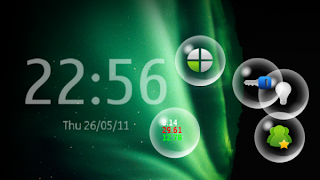
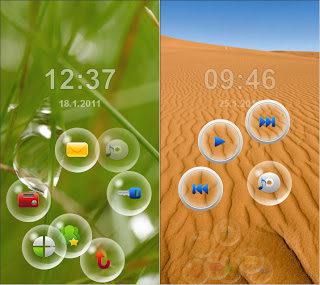
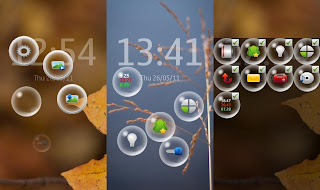
    Nokia Bubbles is a new app from Nokia BetaLabs which lets you unlock your phone in a totally different way. When your phone is locked , you press the menu button and you see bubbles floating on the screen that let you do various things with it like responding to missed calls or viewing new messages . Watch the video below to get an idea how it works !

    You can use the bubbles for the following actions
    • Unlock the phone
    • View new messages
    • View/Respond to missed calls
    • Control the music player
    • Control the FM radio
    • Change profile (profile timing also supported)
    • Call/Message your three best friends
    • Activate the backlight to use as a flashlight
    • Show your current location using Ovi Maps
    • Change the background of the Bubbles screen
    • Display when battery needs charging
    • Display statistics about bubble speed and distance (just for fun)


    Download


                                        Download Now       


    Compatibility
    Nokia Bubbles has been verified on latest S^3 versions with phone models N8-00 and E7-00 and is known to work with Qt version 4.7.3. Incompatibilities with Ovi Store have been fixed.


    Screen Shots


    Release notes

    New in this release (26.05.2011):
    • Smart installer support with official Qt version.
    • Settings dialog to activate/deactivate bubbles.
    • Bubble view can be deactivated with menu/power key press to return screensaver immediately.
    • Reduced timeout to bring secondary drop points visible.

    Getting started

    Activate Nokia Bubbles:
    1)    Lock device
    2)    Press Menu or Power key
    3)    Have fun with the Bubbles!

    Installation instructions for all following devices:

    Symbian^3

    • Nokia C6-01,
    •  
    • Nokia C7 Astound,
    •  
    • Nokia C7-00,
    •  
    • Nokia E6-00,
    •  
    • Nokia E7-00,
    •  
    • Nokia N8,
    •  
    • Nokia N8-00,
    •  
    • Nokia X7-00

    Download instructions
    Please read the following instructions carefully before proceeding with installation:
    1. If you don’t have older version of Nokia Bubbles installed you can jump to step 6)
    2. Uninstall any previous Bubbles version using following steps:
    3. Go to Settings -> Application manager -> Installed apps
    4. Long-press on Bubblelock (or Nokia Bubbles) from the list and selectUninstall
    5. Reboot device
    6. Make sure you have active data connection or you are in reach of WLANcoverage during the installation process. Installation uses Symbian Smart Installer, which will download and install required components if needed. Additional download may be required based on your phone configuration.
    7. Install Nokia Bubbles

      download (.SIS with SmartInstaller, 816kB)
    8. Reboot device


    9.01.2011

    Opera mini and Opera mobile for Symbian


     Opera is known for bringing a first-class web experience to thousands of mobile phones, and our latest mobile phone browsers bring great enhancements that make the Opera browser the smarter choice for over 3000 phones.


    The clean, simple and elegant user experience is now modernized and enhanced. Scrolling and zooming is buttery smooth, and support for the latest technology is updated. The Opera rendering engine displays complete webpages, just like on your computer, and is fully standards compliant.
    Switching between open webpages is a snap with tabs, and Speed Dial launches your favorite websites with a single click.
    Opera’s well-designed user interface has you navigating gracefully and efficiently on both touchscreen and keypad devices. The browser comfortably adjusts to your needs by switching between portrait and landscape mode and also lets you adjust the font size for easier reading.
    The Web has never been so fast on your phone. Opera’s streamlined rendering engine and server-side compression allows the Opera browser to load webpages much more quickly than other mobile phone browsers. Features such as the address bar, shortcut keys and touchscreen control save you time and effort when performing basic tasks, such as entering addresses or scrolling rapidly through pages.


    Features

    pinch-to-zoom

    Enter address in a flash
    Type without loosing focus
    Read the largest pages comfortably
    make the most of your screen


    Screen Shots


    Download


         Opera Mini

                        S60v5 :  Click Here

                        Symbian Anna : Click here

          Opera Mobile

                        S60v5 :  
    http://www.operamini.com/download/get.pl?sub=true&id=33897&location=360&nothanks=yes


                        Symbian Anna : 
    http://www.operamini.com/download/get.pl?sub=true&id=33897&location=360&nothanks=yes


    Related Posts Plugin for WordPress, Blogger...