Showing posts with label Applications. Show all posts

1.12.2017

Google Pixel Apps Installer - Papps

Papps

What is it?

An open source installer for the Google Pixel specific apps and files.Enjoy the Google Pixel experience on any Android device with Papps.

IMPORTANT - Device should have a chipset with an ARM64 architecture - only 64-bit processor devices.

Installation instructions
1. Reboot your device into TWRP recovery
2. Flash Papps-XXX.zip
3. Wipe Cache/Dalvik
4. Reboot

5. Navigate to Settings and give permissions to Dialer (or IncallUI won't work!)

Step 5 is really important as InCallUI won't work unless permissions are enabled.

ZIP file download link  - https://www.androidfilehost.com/?w=files&flid=126245

Apps that is going to be installed: Calendar, Camera, Clock, Contacts, Dialer, Keyboard, Launcher, Messaging, Photos, Velvet, Wallpaper,Picker, Pixel Audio,(notifications, alarms, ringtones, UI).

Latest stable version is  1.0

XDA Discussion thread link

7.25.2013

Locket App:" Get paid for your Android lock screen


A new android app Locket was released on thursday,the 18th, that lets you cash in on your lock screen. Locket is an Android app that delivers ads on your lock screen and pays you just for unlocking your phone. 1 cent every time you unlock the screen with a limit of 3 per hour that adds up to 3 cents per hour or 36 cents per day. Locket also pays $1 per referral. You can cash in when your earnings reach $10.

Get locket app here : https://play.google.com/store/apps/details?id=com.locket.android

For more on locket check : www.getlocket.com

4.17.2013

Facebook Home comes to all Android devices with IceCream Sandwich or higher

Facebook Home the latest attraction in gadget world has been available only for high end Android devices like HTC One, HTC One X, HTC One X+, Samsung Galaxy S3, S4 and Note 2. Facebook Home released in Google Play store on April 13th 2013. The application is so far (or may be for ever in play store) is not available for any handsets other than those are above mentioned. But the application is developed now that can be used in any Android phone. The new port works with every Samsung Galaxy device, all Sony Xperia devices and also those from HTC. It can be done in all rooted and unrooted handsets. Only condition is that the handset must have Android ICS (4.0) or greater. Before installing the port, all the previous versions of Facebook has to be removed from the phone. The method is simple as it needs just two APK files to be downloaded and installed. 


Whats new in Facebook Home
  • From the moment you turn it on, you see News Feed of friends' posts and photos on your home screen. 
  • Swipe through to see more, double tap to like a post, and comment right from cover feed
  • Install Messenger to send and receive texts and Facebook messages from the same spot
  • Notifications from Facebook appear right on your home screen and stick around until you need them. 
  • Open a notification with a tap or clear them away to see your cover feed.
How to Install

  • The handset must have Android ICS (4.0) or greater
  • Uninstall existing Facebook applications including messenger
  • extract .rar
  • Install com.facebook.katana.apk (FB app), 
  • then install com.facebook.home.apk (Home app).
  • install fborca242.apk (Messenger app)
  • Enable facebook home under facebook app settings
  • If you face any problem reboot into recovery and wipe dalvik cache
Downloads

Facebook app & Facebook Home  : http://d-h.st/qOz

Facebook Messenger with Chat heads & SMS fix : http://d-h.st/AgU

Screenshots


Sources

Screen shots : https://play.google.com/

2.12.2012

Download Odin 1.85 software for updating Samsung galaxy S2

Updating or rooting Samsung mobile especially Galaxy S2 is not easier using the official Kies software. The steps that should be followed are not simple enough to be used by common users.

The only solution for this problem is to use the Odin software. Odin is an one click rooting software. There is nothing much we wanted to do to root your device using Odin software. The steps that should be followed is explained in our older posts about rooting like,

http://www.crackerspot.info/2011/10/install-android-237-cyanogenmod-71-on.html

http://www.crackerspot.info/2012/02/install-i9100xxlpb-403-ice-cream.html


You can find the method of operating this software in these older posts.

The latest version of Odin available is Odin 1.85. Here is the links to download the software.

Link 1 : http://www.ziddu.com/download/18590353/Odin3-v1-1.85.zip.html

Link 2 : http://hotfile.com/dl/117599769/da45e23/Odin3-v1.85.zip

We will share the updates of this software or the upcoming versions with you in future.

11.19.2011

TuneIn Radio


Here is the radio application for android. TuneIn Provides the best radio experience with more than 50,000 stations. It also offers news, sports, current events etc. 
TuneIn provides 1.2 million on-demand streams as well. And the application is free as well.

TuneIn Radio needs:
1. Access to phone network: By determining the existence and quality of a phone's network connection as well as accessing your internet, we provide you with a seamless listening experience, and allow you to save presets that can be synced across all TuneIn devices.
2. Access to your location: By knowing your location, we make your favorite local radio stations easily accessible.
3. Access to phone state: By knowing your phone state, we make sure to avoid any kinds of interruptions during your calls.

 Screen Shots 


 Download 


11.06.2011

Software For Chatting On Facebook


Do you still have problems with the chat on facebook? fTalk, Facebook Talk, is a new program that allows you to chat on Facebook right from your desktop, messenger style.

Why fTalk?

  • Faster and more accessible than Facebook chat
  • No need to open Facebook
  • Get notified when friends come online
  • Update your status right from the app
  • Free and easy to use
  • Cool emoticons


Once connected you will see the list of your friends, and when one of them "will" receive an online notification.The application also includes many emoticons included!


11.04.2011

Visidon AppLock: Face detection lock/Unlock feature for Android phones


Face detection was main attraction of Android 4.0 when it was launched. Well it will take time to get official Android 4.0 on Galaxy devices. But the feature is available to even Android 2.3 devices with front camera. All that needs is the application Visidon AppLock.


Visidon AppLock App is very functional and useful security application. This application come in two versions. First one is free version which has limited functionality and the other one is Visidon AppLock plus which give you complete control and access to all the features.

Visidon AppLock Free version (Market Link)
  • App lets you choose the apps to be protected.
  • Your face is a key to open them! Application uses the frontal camera of your mobile
  • You can choose to have a alphanumeric password to bypass the face lock
Visidon Applock Plus version (Market Link)
  • No ads!
  • Pattern and PIN as alternative unlocking methods!
  • Haptic feedback for all alternative unlocking methods!
  • Experimental lock screen feature
  • Liveness detector, which guards against photograph spoofing!

Download


Screen Shots


About Visidon AppLock

Fast, convenient and cool way to protect your mobile with face recognition. Protect any application (i.e. SMS, Gallery, E-Mail, Facebook, etc.) on your phone using face recognition. Convenient and cool way to increase safety of your private apps and content.
Visidon AppLock Plus lets you choose the apps to be protected. Your face is a key to open them! Application uses the frontal camera of your mobile and verifies in real-time that the face matches the one allowed to access the private apps.
By upgrading to Plus version you'll get:
- No ads!
- Pattern and PIN as alternative unlocking methods!
- Haptic feedback for all alternative unlocking methods!
- Experimental lockscreen feature (read important note below!)
- Liveness detector, which guards against photograph spoofing!
- More extra features in future versions!

About lockscreen:
This is an experimental beta feature. You should also use the default AppLock feature (check the most important apps from the applist) to counter possible security holes. You can set the Keep unlock status option, so you do not need to verify yourself again when you are accessing a particular app if you have done the verification in the lockscreen. Note that this option will enable lockscreen features (disabled Home button etc.) also in default AppLock behavior. Also, this feature does not include an option to make an emergency call, so use it at your own risk.

    10.08.2011

    Three Free Tools That Convert PDF Files To Word Documents

    Sometimes however, the format you’d hoped would be available isn’t. Microsoft recognizes this and has made it possible to convert PDF to Word since Office 2007. Adobe also has this feature available in Acrobat X Pro, but unlike Office, Acrobat isn’t software that most users have access to. Fortunately, some free utilities have stepped in to fill the void.


    Free PDF to Word Converter

    convert pdf to word


    This lightweight conversion tool is quick to download and install and only takes a hair over 5 megabytes of disk space, which means it will easily fit onto portable drives. Converting files is quite easy, as they can be dragged-and-dropped into the utility’s window. Press the convert button and presto! You have yourself a Word document.

    The accuracy of this converter is adequate when handling simple documents, but more complex PDF files with images aligned close to text can trip it up.

    Nitro PDF to Word Online

    pdf to word conversion


    If you have access to the Internet you can try Nitro PDF to Word, an online tool that can be accessed through your web browser. Like many online conversion tools, it’s simple to use. You only need to provide Nitro PDF to Word with the document and your email address, and Nitro will then email the converted document to you.


    I found Nitro PDF to Word mostly accurate. It sometimes did not convert all text in a paragraph to the same font or same font size, but actual text errors were few and images came through without issue. The email containing the converted DOC file arrived within 30 seconds of my submission.

    Just one note – I’d be leery about sending anything through Nitro PDF to Word that’s supposed to be confidential. I’m not saying the site is known to be untrustworthy, but care should be taken when supplying any third party with private data.

    gDoc Creator

    convert pdf to word


    Part of gDoc Fusion, gDoc Creator is a file conversion tool that has supported PDF to DOC conversion for years. Although gDoc Fusion isn’t free after the 30-day trial, you can keep using gDoc Creator for PDF to DOC conversion free of charge.

    Of the numerous utilities I tried, gDoc Creator was the most accurate overall, though it just barely beat Nitro Word to PDF. It handled all three of the documents I used to test the conversion utilities with virtually no errors, and those that did slip through were minor. In addition to this, gDoc offers three different types of conversion, placing emphasis on different priorities such as text flow or page layout.


    However, the gDoc download came in at a beefy 102MB for the zipped file, which makes this utility a bit of a heavyweight. Of course, this is due to the fact that we’re using just one feature of a much larger and more complex suite. There are also several optional features that can be selected during install, such as a Word toolbar. I suggest foregoing these unless you plan to use the software’s other features.

    Conclusion

    These three utilities provide a good range of options. Free PDF to Word seemed the least accurate, but it was still usable and it’s very light. Nitro PDF to Word is online and accurate, so it will be handy if you’re not on your regular PC. Then we have gDoc, which is large download, but very accurate.

    It’s your choice. They all do the job, but are better for different situations. As always, let us know in the comments if you know of a great tool to convert PDF to Word that isn’t listed here.

    Thanks to makeuseof.com

    9.26.2011

    Mobile Documents - Cloud Boosted Push Mail & Mobile Document Sharing

    Mobile Documents is a handy application for Symbian and Android devices. It brings you a better experience with your mail than any other application and with attachment handling as well.

     Features

    The mail attraction of the application  is that it is with unique Attachment Viewing and Handling capabilities.
    Send, view, read and receive heavy attachments instantly (for example PDF, PPT, DOC and images), without a download.

    The application also features with facility to schedule the check for new mails. This check takes only around 10 Kb and you can shedule it for any time interval ranging from some minutes to several hours.

    Another attraction of this application is that we can add many email accounts to the application that can work simultaneously. The application checks all mail accounts for new mails and alerts you if the search results positive.

    Download

    For Symbian Devices : http://store.ovi.com/content/39140

    For Android Devices : https://market.android.com/details?id=com.visiarc.mobiledocuments.clients.android


    Screen Shots


    9.25.2011

    Zip Application for Symbian - Handy Zip

    Handy Zip is an excellent tool you can create, open and decompress ZIP files directly on your S60v5 mobiles. This enables you to access downloaded files that are compressed using 'Zip'. Since most downloads from sharing sites are in 'Zip' format, 'Handy Zip' will prove an essential tool for your Symbian device.

    Click Here to Download


    DocX Reader for Symbian

    DocX Reader is the ultimate Microsoft Word viewer for feature phones and java phones! DocX Reader works on almost every mobile phone that supports java Features: Reads both Microsoft Word 2007 and Word 2010 files Reads documents page-by-page Zoom-in and zoom-out Low memory usage.

                 DocX reader is designed for S60v5 devices but still it works on all phones. It is easy to use and does not hang your phone.


    Download


    9.24.2011

    TweetCaster for Twitter in Android

    TweetCaster is the best Android Twitter app with the most innovative features! TweetCaster is the only Twitter app for Android and the ONLY app with SmartLists - helping you organize the chaos of your Twitter stream. TweetCaster boasts a bright & clean UI, lightning fast speed, and more features than any other Twitter app. No wonder millions of users have downloaded it worldwide!


    TweetCaster Innovations:
    * SmartLists - Organize the chaos of your Twitter stream by grouping people into Lists, simply and easily
    * Zip It – Zip annoying tweeters or Twitter trends from your timeline without unfollowing
    Plus the most features:
    * Facebook – Simultaneously post to Twitter and Facebook
    * Multiple Twitter Accounts – Manage multiple Twitter accounts, post to both
    * Instapaper – Save long stories to Instapaper to read later
    * Color Code Tweets – Choose a custom color for your Tweets and mentions


     Download


    Download Link : https://market.android.com/details?id=com.handmark.tweetcaster&feature=related_apps


    It also features

    * Multiple widgets – Two different widgets allow you to bring TweetCaster to your home screen
    * Advanced Retweeting – Retweet with or without comment
    * Customization – Customize your visual theme, font size and notification frequency
    * Long Tweets – Use Twitlonger service to tweet over 140 characters
    * Conversation Thread View – View full conversation threads when viewing replies or messages
    * Search – Enhanced search functionality (including user and nearby search)
    * Suggested Users – Suggests people to follow

    The Weather Channel for Android

    The Weather Channel is an application that brings you the map along with the current climate status. It helps you to plan your spot for the next week, day and even for the next hour. It is really an animated map.


    What's new in version 3.4?
    • Many bug fixes - faster data access, faster UI, memory leaks fixed, most force closes fixed!
    • The relative humidity forecasts are back by popular demand
    • "The Weather Channel Social" has been integrated into our Android app. Now, you can keep up with local weather tweets right from your phone!
    • "WeatherReady" has also been integrated into the app. Get weather safety tips and advice on the go.
    Other Features Include:
    • Animated & customizable radar maps
    • Detailed weather conditions and forecasts (hourly, 36 hour, & 10 day)
    • Severe weather alerts
    • Saved locations
    • Local and popular videos
    • Voice search
    • The Weather Channel widget for your android's home screen

    Download


    Download Link : https://market.android.com/details?id=com.weather.Weather&feature=search_result


    Screen Shots


    9.23.2011

    UC Browser

    The fastest and most full-featured mobile browser. UC inside, world in hand!

    UC Browser, widely known as "UCWEB", is a mobile browser featured with its fast connection, leading compression, powerful download management and stable functions.


    Since 2004, UC Mobile have made the cloud computing structure into mobile browser, which leaded the whole world.

    It now provides two different browsing mode(Data Saving and Full Function) for users to enjoy browsing according to different data plans. The Data Saving mode will make you save up to 85% traffic while browsing, the Full Function will provide you the best browsing experinece. It also provides comfortable features for your browsing, such as the featured site navigation easy preference, pre-load, night mode...

    facebook Twitter, Google, Yahoo!, and all your favorite sites will load very fast at the same time within UC Browser. This new version also comes with "My Shortcuts" function which can make you saving your most visited sites just on your home screen.

    UC Browser combined web browsing, web searching, web navigating, downloading and other features. UC Mobie have focused on mobile browser field, and got a fulfilled technique accumulation. UC Browser has better url inputing, page rendering, uploading and downloading, data compressing and more assistant feature than any other competitors. In About.com's 2011 reader s choice election, UC Browser has got most votes than Opera Mini, Firefox mobile, Dolphin Browser and Bolt. Try it and let it be your daily choice!

    Now, UC Browser 7.8 is released, with more and greater functions. 200 million users are creating 70 billion page views per month, which de facto push us to the leader in mobile browsers
     
    Download


    Nokia Symbian S60v5

    Download Link : http://wap.uc.cn/m11777/p?from=www-slb-dir-unp

    Samsung Galaxy S II
    Download link : http://wap.uc.cn/m22793/p?from=www-slb-dir-unp

    Other Mobiles
    Download Link : http://www.ucweb.com/English/UCbrowser/product_choose_browser.html


    Features

    Compression Technology
    Advanced compression technology can reduce data costs by up to 85%, making mobile surfing cheaper.

    Stable Network
    Unique Free-link technology makes wireless network much more stable.

    Powerful Search
    Embedded various popular search engines to meet your searching needs.

    Multi-tabs
    Allowing you switch between pages easily and giving you better browsing experience.

    Site Navigation
    Hundreds of categorized popular web sites are showed in the navigation bar, all you need to do is just ONE click!

    Download Manager
    Super download manager supports resuming downloads and multithreaded downloads.

    Optimization
    To provide the best browsing experience for you, we optimized the browser on different platforms.

    Pre-load
    Pre-load technology makes further improvement on your browsing speed, no more waiting.

    Privacy
    Manage you account making login easily and support cookies.

    Bookmark and History
    Instant access to your favorite web sites with bookmarks or browsing history.

    URL auto-completion
    Effortlessly enter addresses thanks to our sophisticated URLauto-completion, entering only a few letters then select your address.

    View mode
    Zoom Mode and Adaptive Mode are provided to meet your preferences, more viewing choices for web sites.
    Save and Share
    Support to save web pages and images and share them by Bluetooth or SMS.

    File Manager
    You can open, delete and share your files by Bluetooth in UC Browser.

    Night Mode
    Unique Night Surfing Mode protects your eyes in the dark.

    9.21.2011

    Nokia Reader

    Looking for a simple and easy to use RSS reader to manage news feeds on your Symbian^3 or S60 5th Edition device? Reader pushes your favorite news feeds to your homescreen allowing you to quickly catch up on current events.
    This useful application is easy to setup: Just select your favorite feeds from a pre-populated list of the major news sources or add a new feed by typing the website address and Reader will search for the RSS feed.
    And thanks to push notifications, battery consumption is modest and content is always fresh.


    Main Features:

    • Uses push notifications
    • Content directory
    • Homescreen widget
    • Supports Nokia Account


      Download  


      For Symbian^3  (Nokia c6-01,Nokia N8,Nokia E7 )

                    Click Here


      For S60v5  (Nokia 5228,Nokia 5230,Nokia 5235 Comes With Music Edition,Nokia 5250,Nokia 5530 XpressMusic,Nokia X6,Nokia X6-00)

                     Click Here


      For S60v5  (Nokia C6-00,Nokia N97,Nokia N97 mini)

                    Click Here


      For S60v5 (Nokia 5800 XpressMusic )

                     Click Here 


      Screen Shots


      Installation instructions


      1. Installation instructions for all following devices:

      Nokia 5228,
      Nokia 5230,
      Nokia 5235 Comes With Music Edition,
      Nokia 5250,
      Nokia 5530 XpressMusic,
      Nokia X6,
      Nokia X6-00

      Installation instructions

      Nokia Reader installation requires a network connection. Installation uses Symbian Smart Installer, which will download and installed required components if needed. For S60 5th Edition devices the download size can be up to 8 megabytes. In this case we recommend you to use a WLAN Internet connection.

      2. Installation instructions for all following devices:

      Nokia C6-00,
      Nokia N97,
      Nokia N97 mini

      Installation instructions

      Nokia Reader installation requires a network connection. Installation uses Symbian Smart Installer, which will download and installed required components if needed. For S60 5th Edition devices the download size can be up to 8 megabytes. In this case we recommend you to use a WLAN Internet connection.

      3. Installation instructions for all following devices:

      Nokia C6-01,
      Nokia C7-00,
      Nokia E7-00,
      Nokia N8,
      Nokia N8-00

      Nokia Reader 1.0.1 for Symbian^3


      Update 16-Jun-2011: Nokia Reader installer now supports Symbian Smart Installer.

      Smart Installer will upgrade your Ovi Notifications Support Package currently to version 1.1.11120. This fixes some incompability issues with Qt 4.7.3

      Installation notes

      Installation instructions
      Make sure you have a working data connection during the installation process. Installation uses Symbian Smart Installer, which will download and install required components if needed. The download size can be up to 3 megabytes.
      Install Reader 1.0.1 beta

      4. Installation instructions for Nokia 5800 XpressMusic
      Installation instructions

      Note! Minimum required Nokia 5800 XpressMusic firmware version for Reader 1.0beta is 40.0.005. Please update your device if you're running an older version.

      Installation notes

      Nokia Reader installation requires a network connection. Installation uses Symbian Smart Installer, which will download and installed required components if needed. For Nokia 5800 XpressMusic the download size can be up to 8 megabytes. In this case we recommend you to use a WLAN Internet connection.

      Smart Movie Symbian

      SmartMovie is a popular tool to help you convert and play movie files on your mobile phone.

      Many mobile devices are now capable of playing movie files but due to format and storage restrictions, video clips need to be converted before they're transferred to your chosen device. This is where SmartMovie comes in.


      SmartMovie includes all the tools you might need to have that music video, film or home-movie playing on your handheld device in a couple of minutes. Videos might well need to be re-formatted and/or cropped, as well as having their quality and display size reduced to save on space. SmartMovie can perform all of these tasks with ease, and without too much trouble on your part.

      We found that in terms of its basic functions, SmartMovie works admirably well. Despite an unattractive and cluttered user-interface, opening and working with video files ran pretty smoothly. Until, that is, we tried to open movies made with Apple's .mov extension.


      Download

                                    
                                                          Click here


      Compatibility:

      S60
      Nokia 3230, 3650, 6260, 6600, 6620, 6630, 6670, 7610, N-gage, N70, N90, 6680
      Siemens SX1
      Panasonic X700, X800
      Samsung D720, D730
      Sendo X
      UIQ
      Sony Ericsson P800, P900, P910
      Motorola A920, A925, A1000
      BenQ P30
      Series80
      Nokia 9300, 9500
      Series90
      Nokia 7710

      Fixing codec problems

      A problem with video codecs meant that we couldn’t work with .mov files until we downloaded some third-party software from websites we weren't familiar with. Clearly, there are a range of copyright issues which may prevent Lonely Cat Games from bundling codecs with its software. SmartMovie was helpful in advising us to download new codecs as well as providing a link to the download page for various codec packs. Once we'd installed a couple of these packs, the .mov files opened without any bother.

      Another small issue we observed was short sound glitches each time we opened a video file. While not a serious problem, errors like this give users a bad impression of the software which is, in SmartMovie's case, undeserved. This program's range of features and options for resizing and cropping movies as well as altering their frequency and bit-rate is impressive, if a little daunting. The well implemented context help feature proved to be a really, explaining the functions of each tool.

      SmartMovie, for its general success in shrinking and chopping your movie files, ranks well among its competitors in the video conversion market. But its ugly design and small annoyances let it down somewhat, meaning that though we’ll probably continue using this program, we’ll definitely be keeping our eyes open for a decent (and ideally free) competitor.

      9.17.2011

      GO Launcher EX for Android

      GO Launcher EX is the extended version of the GO Launcher, which has been very popular among Android users.
      It is highly customizable home replacement application, which will run when you press your android phone’s HOME key.

      It suppors a lot of themes. It is featured with fast flip speed and a lot of exclusive functions as well.


      Features:
      - Hundreds of themes
      - Fancy home screen transition
      - Smooth scrolling experience
      - Icon popup menu
      - Folder and task manager in app drawer
      - Gesture supported
      - Scrollable & resizable widgets supported
      Download App
      Download Link:: https://market.android.com/details?id=com.gau.go.launcherex&hl=en
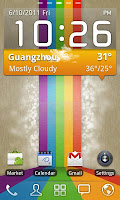
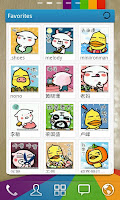
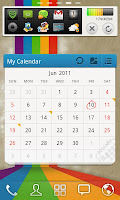
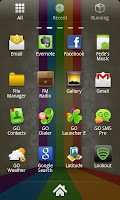
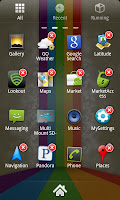
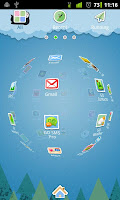
      Screen Shots


      Tips: 
      1. Pinch fingers to enter preview screen and edit home screen pages
      2. Search “go launcher theme” to get themes and select them in “Themes preferences”
      3. Set screen transition and flip speed in “Display settings”
      4. Long press icons on home screen to active popup menu
      5. Long press icons in app drawer to edit location, uninstall apps and create folders
      6. If you can't set GO Launcher as your default home, download "Home manager"
      Important:
      1. This is a totally free application and we need directly call phone numbers permission to enable the direct dial shortcut on home screen.
      2. We will bring out some charged apps like themes and widgets, but most of our apps are free!
      3. The weather and clock widget in screenshots belongs to GO Weather, one of the applications developed by our team!

      Related Posts Plugin for WordPress, Blogger...