Showing posts with label google. Show all posts

1.12.2017

Google Pixel Apps Installer - Papps

Papps

What is it?

An open source installer for the Google Pixel specific apps and files.Enjoy the Google Pixel experience on any Android device with Papps.

IMPORTANT - Device should have a chipset with an ARM64 architecture - only 64-bit processor devices.

Installation instructions
1. Reboot your device into TWRP recovery
2. Flash Papps-XXX.zip
3. Wipe Cache/Dalvik
4. Reboot

5. Navigate to Settings and give permissions to Dialer (or IncallUI won't work!)

Step 5 is really important as InCallUI won't work unless permissions are enabled.

ZIP file download link  - https://www.androidfilehost.com/?w=files&flid=126245

Apps that is going to be installed: Calendar, Camera, Clock, Contacts, Dialer, Keyboard, Launcher, Messaging, Photos, Velvet, Wallpaper,Picker, Pixel Audio,(notifications, alarms, ringtones, UI).

Latest stable version is  1.0

XDA Discussion thread link

11.15.2013

Android 4.4 KitKat Factory images released for Nexus 4, Nexus 7 And Nexus 10


For those Nexus owners fascinated  by the Kitkat in Nexus 5, Google have released the factory images for Nexus 4, Nexus 7 and Nexus 10 as promised. These factory images can be manually installed on to the Nexus devices for those who can't wait for the over the air(OTA) updates.


Android 4.4 KitKat Factory Images:  Nexus 4 | Nexus 7 (2013) | Nexus 7 (2012)

4.21.2013

Google Glass API named Mirror is available Now


Now the Google have released the Google Glass- Mirror API, we could start developing Google Glass software.
We have got two quick start options for developing: one in Java and the other in Python. for a start check on the overview page of the Mirror API and go through the four videos that explains Managing timeline cards, Interacting with menu items, Subscribing to timeline notifications, and Sharing to contacts. Also check upon Working with user location. Go through the Developer guide sections for more details. Also check on the timeline section for code examples with convenient tabs to switch between HTTP, Java, or Python.


Google Mirror API Overview 

8.06.2012

'Google Now' with voice search is now available for Android ICS 4.0


Google Now, the latest voice search and personalize application from Android, has been in the news till it released. The application was developed to use in Android Jelly Bean. Since then developers were trying to make it compatible with the most used Android version, IceCream Sandwich. Now the result is out and ICS gets Google Now.


The application became so popular that there were videos out showing 'Google Now' beating Apple's Siri in performance. The application is very much user friendly and fast responsive to voice commands. The update also bears the same features. Senior members from www.xda-developers.com has released the apk file and the steps for installing the application. This post brings up those details below.

Instructions and Downloads


**The device must be running on ICS 4.0


For ARMv7 devices

There are four separate apks that each serve a different purpose. You may choose to use these with either the ARMv7 or ARMv6 (at your own risk). The ARMv7 instructions link above has all of these availbale as flashable zips.

1.) Auto launch, double take, & no blank screen version. This version has the double take problem but eliminatees the invisible/distorted screen problem, and it has auto launch working sometimes. 

2.) No double take & no blank screen version. This version does not show the card results twice (double take) and also the invisible or distorted search results. The problem with it is that it eliminates the auto launch feature.

3.) No double take version. This version does not show the card results twice (double take), and the auto launch function works properly. The problem with it is that when search results show up, you may need to move your finger on the screen to get it to show up, other wise they look distorted or simplay are invisible.

4.) mikeyxda's APK Version 1. This version resolves the double take, invisible screen, and auto launch problems, but sometimes the cards don't show up.

5.) mikeyxda APK version 2. This version resolves the double take, invisible screen, and auto launch problems. Sometimes the red mic screen doesn't show up. To fix it, press the normal mic, then hit menu > refresh to bring back the red mic. That's should get everything back to normal.


For ARMv6 Devices

1.) Rename GoogleQuickSearchBox.apk in system/app to GoogleQuickSearchBox.bak

2.) Rename the "Velvet-Thes0o-5.apk" that you downloaded ( http://www.mediafire.com/?hbtjvbzwbbaf3yj ) to: "GoogleQuickSearchBox.apk" 

3.) Place the renamed .apk in the system/app folder and set the permissions to rw-r-r

4.) Reboot

OR

1.) Rename GoogleQuickSearchBox.apk in system/app to GoogleQuickSearchBox.bak

2.) Try to install the downloaded .apk off your sd just like any other .apk

OR

1.) Download and Flash (http://goo.gl/svDEF) through recovery -- AOSP ONLY


Voice Instructions for ARMv6

1.) Download the "Voice Search for Google Now!" app from the download link below

2.) Either open up the app, hold down search or tap on the dedicated widget that comes with the app to launch the voice search

3.) The app will use ICS's voice-to-text engine to get your answer, and then enter it into the Google Now v5 app from before. All you have to do is hit enter and then congrats, you've got working voice search!

4.) Check back at Jonny_G's thread for the latest information and updates. 
http://forum.xda-developers.com/showthread.php?t=1770100

Downloads
**copy and paste the link in address bar
  • APK Download: http://www.mediafire.com/?hbtjvbzwbbaf3yj 
  • ZIP Download: http://goo.gl/svDEF-- AOSP ONLY
  • Voice App Download:  https://dl.dropbox.com/u/11388416/GoogleNowVoiceSearch.apk 


what is Working:
-It boots!
-searching through the text-box works
-location services work
-info cards work
-notifications work without modifying build.prop
-Voice now works through Jonny_G's app

what is Not working:
-Can't exit the app using the back button on the Google Now 'Cards' screen
-Full Jelly Bean voice search

Sources

9.26.2011

How to Search Google Using Keyboard Shortcuts


A few years back, Google released an interesting webpage which allowed userssearch Google using  keyboard shortcuts only. I have decided to revamp this old Google project for you guys because I think that majority of you don’t even know about it.
Google Keyboard Shortcuts is an interesting and quite unknown Google experiment which lets you “Navigate search results quickly and easily, minimizing use of your mouse”. Current keyboard shortcuts include:
KeyAction
JSelects the next result.
KSelects the previous result.
OOpens the selected result.
<Enter>Opens the selected result.
/Puts the cursor in the search box.
<Esc>Removes the cursor from the search box.
If you wish to join the experiment, visit this Google page.

How to Login To Multiple Google Accounts

There are many reasons to have multiple Google accounts. You may have multiple websites for personal and business accounts. Whatever the reason, it is inconvenient to have several browsers running or keep logging out of one to check another account.


Aside from forwarding your email to a single Gmail account, you can use browser extensions or manage the settings in Gmail to allow multiple account access without the inconveniences you are currently experiencing.
The following methods are mostly meant for accessing several Google accounts for email. Some of the other apps accessed when you are logged into your Google Account may not work.

Quick Login for Google Accounts

For this first fix, you will need to use Google Chrome (browser). The Quick Login for Google Accounts extension will allow you to access several different Google Accounts. This is ideal because you can have a browser window open and have a tab for each Google account.

Setup

1. After adding the extension to Chrome, click the new icon in the top right corner of the browser window, then on options.


2. In the name column, enter something to help you differentiate the account from the others. I chose personal, maketecheasier and untetheredoffice as the names for mine.


3. In the next box over, you will need to put your login user name. You do not need the @gmail.com or @yourgoogleappname


4. Add your login password in the next box to the right.
5. If you are using Google Apps for a business, you will need to tell the extension where the login page is. To do this, you need to click show advanced options. Another row will appear. In this row, you can paste or type the page you visit to log into your business email.


6. After all the information is entered and saved, you can try it out. Click on the Quick login icon again and choose an account to log into.

Multiple Account Sign in

Another option to enable the multiple account login option in your Google Account settings. This way will not tie you to a single browser or even computer. Remember, you will need to sign out of these accounts as well. So if you are one of those people who ticks the remember me or keep me logged in buttons, make sure you actually  log out. If you don’t,  you will have a lot of email accounts accessible to anyone else using that computer.

Setup

The setup is pretty easy for this one. Sign into your Gmail or Google Docs or some other Google application. In the top right you will see your name. Click on it to show a drop down.
1. In this drop down, there will be an option to access your Account settings.


2. Once in the settings, you will see the option to edit the Multiple sign-in.


3. You will need to log into each Google Account you’d like to access and enable this option.

4. When you have all of the accounts enabled, you can sign into multiple accounts by clicking on your name in the top right again then switch accounts.

5. you will see an option to sign into another account.


You should have access to a good number of the Google application for the other accounts you are accessing.

9.11.2011

Remote Print From Android phone Using Google Cloud Print


print from android phoneGoogle Cloud print makes it possible to print from anywhere to your local printers installed in your home or office. In this article, I’ll show you how to print from Gmail on android phone to local printer.
How to print from Android Gmail to local printer.
For using Google Cloud print, you’ll need to have a developer or latest beta version of Google Chrome. With cloud printing you don’t anymore need toaccess remote pc using screen sharing for printing files.


In Google Chrome, go to Settings > Options. In the new settings tab, click “Under the Hood” menu.
At the bottom, you’ll see an option “Google Cloud Print”. Click “Sign in to Google Cloud Print” button and login with your Google account credentials.


You’ll get a confirmation message after logging into your Google account and the option in Chrome will change into “Disable Google Cloud Print” and “Manage Print Settings”.
In Manage Print Settings page, you’ll see all the active print jobs and all the printers associated with your account.

You can do a test print from this page and check whether the print job is getting done.
Printing From Android Phone using Google Cloud Print
From any Android phone, log into your gmail account from mobile browser. After logging into your gmail account, you could see a drop down button [small arrow] on the top right side. Click the button and select “Print”.
You’ll be able to see all the printers which are associated with your account. Select printer, and in options set the number of copies you need. Click “Print” and your document will be printed if the selected printer is online, otherwise it will be queued and completed once the printer comes online


9.02.2011

Google Plus application for iPhone Released


The Google iPhone app is finally done with Apple’s screening and approval process! Apple has recently released Google+ application for the iPhone and now on the iTunes Store as a free download and the download available for a limited time only, so download now and start the guys at your circle of friends on your iPhone with Google, and application. + Google mobile makes sharing, good things with the right people much easier. Huddle send messages super fast for those who matter most to you. And no matter where you are, the power can stay updated on what your friends share and where to check

Google+ for mobile makes sharing the right things with the right people a lot simpler. Huddle lets you send super-fast messages to the people you care about most. And no matter where you are, the stream lets you stay in the loop about what your friends are sharing and where they’re checking in.


Features:
* Circles let you share the right things with just the right people.
* Stream is where you can get updates from your circles or see what people are saying about things nearby.
* Huddle is super-fast group messaging for everyone in your circles.

Google+ is only available for users 18 and older.


What's New in Version 1.0.2.1966

- Huddle settings
- Aggregated circle add notifications
- iPod touch & iPad support
- Performance and stability improvements


Download Link
http://itunes.apple.com/us/app/google/id447119634?mt=8


8.21.2011

Google maps for Mobiles


Google Maps  is a web mapping service application and technology provided by Google, free (for non-commercial use), that powers many map-based services, including the Google Maps website, Google Ride Finder, Google Transit, and maps embedded on third-party websites via the Google Maps API. It offers street maps, a route planner for traveling by foot, car, bike (beta) or public transport and an urban business locator for numerous countries around the world. Google Maps satellite images are not updated in real time; they are several months or years old.

Google maps is available for mobile phones also. There is application available ofor all sort of phones and free as well. The application is available in the google website itself. but in that case you have to download it from your mobile itself.

here we provide the application setup for download and hence you can download it in your pc and transfer to your mobile.


Download Link

Symbilan Phones

http://www.ziddu.com/download/16124836/GoogleMapssymbian.rar.html

Android Phones

https://market.android.com/details?id=com.google.android.apps.maps&hl=en

BlackBerry 

Go to m.google.co.in/maps on your phone to download 


iPhone

Tap Maps on the home screen

Other

m.google.co.in/maps


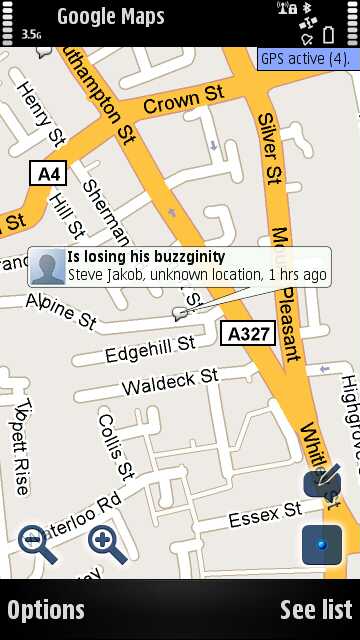
Screen Shots


Features of Google maps


  • See where your friends are right now
    See your friends on a map – find out who's nearby and meet up.

  • Share where you are
    Help friends and family stay in touch with you by sharing your location with whomever you choose.

  • Control your location
    Control who sees your location, and at what level of detail.

  • Privacy settings
    Share, set, or hide your location at any time.

  • Check in New!
    Check in at places to let friends know you’re there, gain status, and unlock offers.


  • Check in with ease New!
    Turn on check-in notifications for nearby places once you’ve arrived or choose places to be automatically checked in at. See Latitude’s settings.

  • Latitude app for iPhone New!
    Download Google Latitude from the App Store. With background updating, share your location even when the app's closed.

  • Add the Latitude widget
    On your Android home screen, add the widget to see nearby friends at a glance.


8.19.2011

Google Launches Music Blog Magnifier

Google Launches A Music Blog To Remind People That Google Music Beta Still Exists. Music blogs operate on a shoestring budget. Not so Google Magnifier, unveiled by the search advertising giant on Wednesday afternoon to help music fans discover music, learn more about the bands they like, and add free tracks to their Music Beta by Google lockers.

Yes, Google has entered the content business. While it has collaborated with Arcade Fire, Danger Mouse, and others on HTML5 videos, and with U2 and other bands on YouTube concerts, Google Magnifier looks to be a straight-up music blog — albeit with a few Google-y twists.

Edited by digital music veteran Tim Quirk — the former senior vice-president of Rhapsody and current head of global content programming for Google Android – Magnifier will deliver “great music and the people who make it, including videos of live performances, interviews with artists, explorations of different musical genres and free songs that you can add to your Music Beta collection.”

Today, visitors to the site can grab two free tracks from My Morning Jacket — similar to the way MP3 blogs offer songs for free, except you can sideload every track on Magnifier directly into your Google music locker without the hassle of downloading and then re-uploading the tracks. You can stream everything in your account to up to eight devices, including Android smartphones and tablets and Google TV, for free.
Magnifier also plays nicely with another new Google product, the Google+ social network. Readers won’t notice any of the usual Twitter and Facebook sharing buttons. Instead, the only built-in sharing option is to rate a post “+1″ on Google+. In a sense, this fills in the missing social piece of Music Beta by Google, which the company confirmed last week had no ties “yet” to its social network. The two are connected now, sort of, because people can share tracks with friends as they add them to their lockers.

We did a double-take upon learning that Google — a company that just more than doubled its size with its purchase of Motorola — was starting, of all things, a music blog.
But the move makes sense on at least two levels. People looking for great free music handpicked by Quirk — who really is an expert, having programmed music for Rhapsody back when it was still called Listen.com — and his team will find that in order to stream that music, they’ll need to create a Music Beta by Google account. This will encourage people to sign up for a free account, which can store up to 20,000 songs.

This music blog also adds a valuable discovery layer to what would otherwise be a generic music locker, just like the others. The danger with any service like Music Beta by Google is that plenty of users — possibly even the majority — might register for the free version and never return, but Magnifier gives them multiple reasons per day to use it.


8.18.2011

Integrate Google+, Facebook & Twitter using G++ extension for Firefox & Chrome


Now there is an awesome add-on available for Firefox and Chrome users called G++. G++ enables us to integrate facebook, google+ and twitter accounts into one. I've tested G++ and it definitely saves my time. All I have to do is login to my Google+ account and then manage my Facebook and Twitter accounts with ease.


G++ provides these features:

1. Facebook & Twitter feed in your G+ Stream!
2. Post statuses to Facebook & Twitter directly from G+!
3. Like, Comment, Post to Facebook!
4. Twitter - Tweet & Retweet in G+!

Chrome users can download it from Chrome Web Store
Firefox users can download it from G++

How to transfer facebook photos to google plus(G+)


We have been hearing about google + more these days and by now most of us have already started taking a bit of it. Google profiles used to have a section for Flickr photos, but Google is now determined to make us all use Picasa in order to use Google Plus.But one of the big problems with any new social network is getting things set up just right.
So, how do we get pictures into Google Plus easily? Well, one developer has made it simple to get photos from Facebook into Google Plus. It’s a neat program for Mac OS X or Windows which works by downloading all your Facebook photos so that it’s easy to re-upload them to a new social network, be that Google Plus or something else which comes along. This will be very handy, since many of us have at least a few decent photos in Facebook. It’s quite straightforward to use – we’ll show you just how easy it is now using the Mac OS X version.

Photograbber

It does what it says and says what it does: Photograbber will get your photos from Facebook and put them on your hard drive. Download, unzip and install as per normal for your operating system.

Using Photograbber

When you open Photograbber you’ll be faced with a simple window which says “Login“. When you click this, you’ll be taken to a Facebook authentication page in your browser so that you can allow Photograbber the access it needs to get your photos.


Once authenticated, you’ll be given an authentication code which you’ll manually have to copy and paste back into the Photograbber program.

The Photograbber program actually allows you to download any photos you have access to on Facebook. So, you need to ensure you choose “Myself” from the list of people. There’s a few other options you can choose from here too, such as whether to download all of your albums or just any photo you’re tagged in, whether to download all of the album if you’re tagged in one photo (eg. to get all the photos from a party you were at). You can also choose to get all the comments and tagging information if you like.

When choosing a location to put them, ensure you create a folder to put them in, since this process will create many folders and their “date modified” will be according to the last photo added, not when they were downloaded.

It takes a while to collect information on which photos to download and then to get them downloaded.

When it’s done, you’ll find all of your photos in easily identifiable folders where you chose to download them. You can then upload albums into Google Plus via Picasa as you wish.

8.15.2011

Google features gamming on Google+

Google today announced a gaming element for Google+, the social network the company launched at the end of June. The new offering lets Google+ users play games from within the social network, including some that can be played with other Google+ users.
Some of the launch games include Rovio's Angry Birds, PopCap's Bejeweled Blitz, and Zynga's Poker. It's a tiny collection compared to what's offered on Facebook, which has made a booming business by offering social games that players can click away at while remaining within the social network's walls.
According to Google engineering director David Glazer, the initial batch of games was intentionally kept small so as to "get the kinks out of our APIs." Glazer said Google would be adding more developers and features "in small steps" ahead of a public release.
The release comes just a few weeks after a Google+ help page cropped up detailing a "Games Stream." Before that, snippets of site code were discovered that mentioned game invites, along with a Google Games logo that was being hosted behind the scenes. In addition, a Google job posting sought a product manager for a "brand-new business" called "Games at Google."
When will users get access to games? In a post announcing the feature, Vic Gundotra, Google's senior vice president of engineering, said that the feature is being opened up to the Google+ community "gradually" and that everyone would be getting it "soon." The social network itself remains invite only, requiring users to sign up for access as Google expands what it's called a "field trial."
To combat game-related score updates from clogging up user feeds, Google says people will only see updates if they play games on the service, keeping those who don't from seeing them at all.
"If you're not interested in games, it's easy to ignore them. Your stream will remain focused on conversations with the people you care about," Gundotra wrote.
Facebook offered a similar tweak to its own news feed late last year after noting that "tens of millions" of wall posts related to applications were being deleted by users who no longer wanted to see them. Both that and Google's approach keep it more limited based on the audience.
In related news, Facebook is said to be planning to announce updates to its gaming platform tonight.
Google+ hit 25 million users last week according to a report from ComScore. That report pegged Google's current growth rate at about 1 million users per day, growing at a faster rate than both Facebook and Twitter in each of those service's early years

Google to Buy Motorola Mobility

Since its launch in 2007, Android has not only dramatically increased consumer choice but also improved the entire mobile experience for users. Today, more than 150 million Android devices have been activated worldwide--with over 550,000 devices now lit up every day--through a network of about 39 manufacturers and 231 carriers in 123 countries. Given Android's phenomenal success, we are always looking for new ways to supercharge the Android ecosystem. That is why I am so excited today to announce that we have agreed to acquire Motorola.

Motorola has a history of over 80 years of innovation in communications technology and products, and in the development of intellectual property, which have helped drive the remarkable revolution in mobile computing we are all enjoying today. Its many industry milestones include the introduction of the world's first portable cell phone nearly 30 years ago, and the StarTAC--the smallest and lightest phone on earth at time of launch. In 2007, Motorola was a founding member of the Open Handset Alliance that worked to make Android the first truly open and comprehensive platform for mobile devices. I have loved my Motorola phones from the StarTAC era up to the current DROIDs.
In 2008, Motorola bet big on Android as the sole operating system across all of its smartphone devices. It was a smart bet and we're thrilled at the success they've achieved so far. We believe that their mobile business is on an upward trajectory and poised for explosive growth.
Motorola is also a market leader in the home devices and video solutions business. With the transition to Internet Protocol, we are excited to work together with Motorola and the industry to support our partners and cooperate with them to accelerate innovation in this space.
Motorola's total commitment to Android in mobile devices is one of many reasons that there is a natural fit between our two companies. Together, we will create amazing user experiences that supercharge the entire Android ecosystem for the benefit of consumers, partners and developers everywhere.
This acquisition will not change our commitment to run Android as an open platform. Motorola will remain a licensee of Android and Android will remain open. We will run Motorola as a separate business. Many hardware partners have contributed to Android's success and we look forward to continuing to work with all of them to deliver outstanding user experiences.
We recently explained how companies including Microsoft and Apple are banding together in anti-competitive patent attacks on Android. The U.S. Department of Justice had to intervene in the results of one recent patent auction to "protect competition and innovation in the open source software community" and it is currently looking into the results of the Nortel auction. Our acquisition of Motorola will increase competition by strengthening Google's patent portfolio, which will enable us to better protect Android from anti-competitive threats from Microsoft, Apple and other companies.

Google to get Motorola for $12.5 billion

The internet search giant is into the handset business. Google announced the they are going to by Motorola. Google said it would pay $40 a share in cash for Motorola, a 63 percent premium to the company's closing price on Friday.
The deal shakes up the Android world. For the first time, Google will have a direct hand in the mobile business that it has fostered from a distance. While it provides the Android software critical to running millions of smartphones and tablets, it has yet to get into the design and manufacturing business itself, aside from a few experimental models with handset partners such as HTC and Samsung Electronics.


Motorola, along with HTC, was a major early supporter of Android. Chief Executive Sanjay Jha scrapped the company's other projects and focused solely on Android, which paid off immensely when Verizon Wireless chose its original Droid to push as its hero phone during the 2009 holiday season. The company more recently had a flagship phone come out with the Atrix for AT&T, which Chief Executive Randall Stephenson used at one point, and also partnered with Sprint Nextel. Last month, it reported stronger second-quarter results, and hinted at a stronger fourth quarter.
But the company has struggled recently. While the Atrix featured heavy promotional support from AT&T, it wasn't a breakout hit. Its first tablet, the Xoom, failed to make a dent in the market, even after a price cut. And the company's long-delayed Droid Bionic for Verizon Wireless isn't expected until next month. The 4G capability for its Xoom is still unavailable despite hyping the feature at the Consumer Electronics Show in January.
Google Chief Executive Larry Page said on a conference call that Motorola will be run as a separate unit of the company.
Google, however, attempted to maintain its neutral stance in Android land even after the deal.
"Our vision for Android is unchanged and Google remains firmly committed to Android as an open platform and a vibrant open source community," said Andy Rubin, senior vice president of mobile at Google. "We will continue to work with all of our valued Android partners to develop and distribute innovative Android-powered devices."

Related Posts Plugin for WordPress, Blogger...